


PT-P700
Corporate desktop labeller
A PLUG & PLAY PC CONNECTABLE LABELLING MACHINE
With the stylish PT-P700, offices are now able to easily label their way to a more organised workspace environment.
This compact addition to the P-touch lineup provides for quick labelling with a speed of up to 30mm/sec. At the same time, the PT-P700 offers great user flexibility and connectivity, including Plug-and-Play USB compatibility.
In addition, the PT-P700 is now more versatile when used with the new P-touch Editor Version 5.1 software. Users are now able to choose from a wider range of label designs.
The PT-P700 offers simple connectivity – so there's no software or drivers to install. Simply connect to computer via USB and launch the built-in software to get started creating professional labels.

Key Features:
- USB 2.0 Connectivity
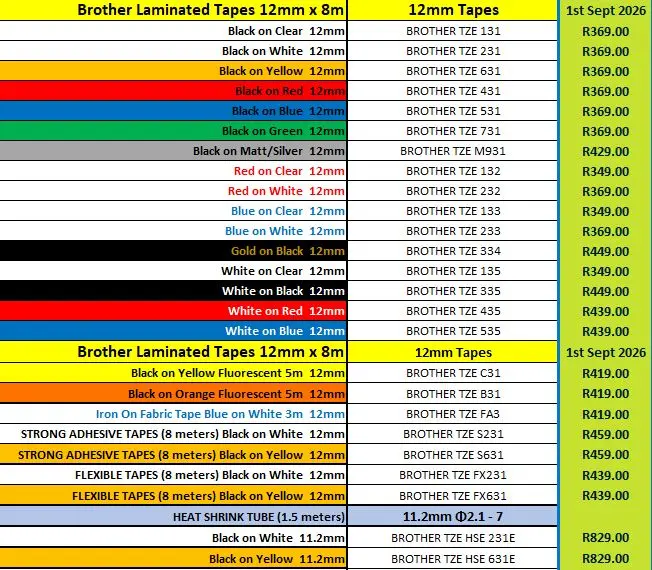
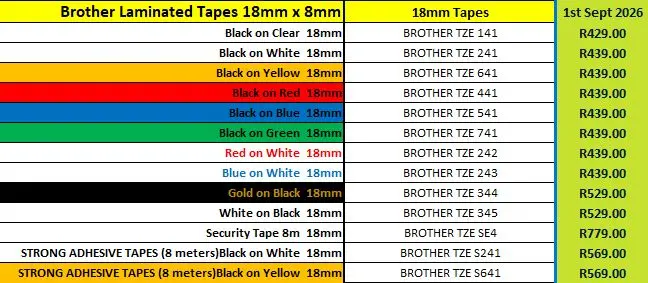
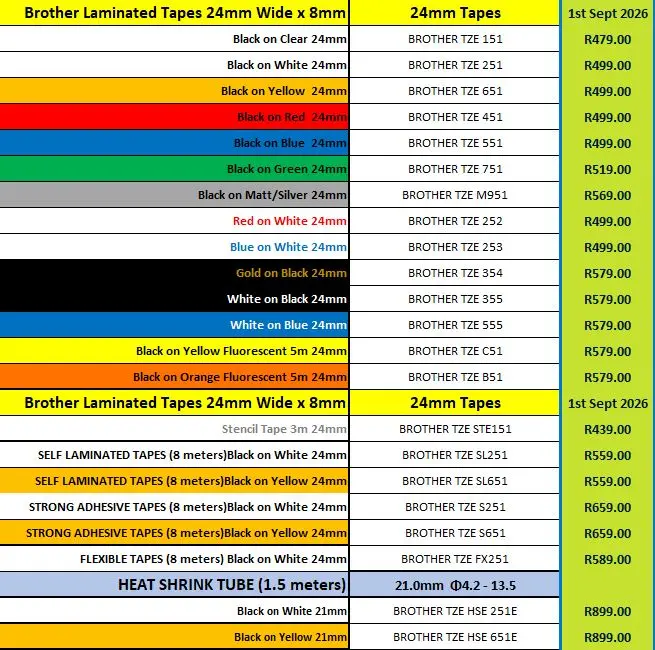
- Prints 6, 9, 12, 18, and 24mm, TZe laminated labels.
- P-Touch Editor 5.1 included
- Most image fonts supported
- 617 Symbols & 126 Frames
- Barcodes & QR Codes supported
- Fast print speed of 30mm/sec
- Automatic full cutter
- 25 - 1000mm label length
- Max 2 line printing
- Ships with 24mm Black on Black on White tape (4m)
- USB cable as well as AC Adaptor

This score is based on all expert and user reviews that TestFreaks has collected for this product. Reviews and scores are collected from more than 30 countries but only reviews in selected languages are shown below.
Brother
•
Fantastic label maker. Very happy with my purchase
Brother
•
A little difficult to set up as machine wasn't compatible with Windows 10. When using a short stencil they roll up all the time making it hard to fit on small area. Very happy with stencil quality and machines performance. Stencil tape is way to expensive.
Brother
•
Complete rubbish. First it didn't work with 3rd party tapes, which I could not establish was intended or a fault. Then it even stopped working with the sample tape supplied. I've given up wasting even more time trying to make it work.
Staples
•
The PT-P700 does not work on Mac products. I've tried the downloads, except they are not accepted by MAC OS.
Staples
•
this printer is like any other USB printer. it is not just plug and go, it does require a driver so not as fast and easy to get started as it stated.
Staples
•
I love the Brother label maker. This one is slim and takes up very little space. Set up was super easy.
Staples
•
I had to retire my P-touch 2730. All the labels that I saved the last 10 years were retrievable through the P-touch software. The PT-P700 is a simple compact design, were I was able to set it up and use it without instructions. It's compact design is key to saving space and makes it portable.
Staples
•
Works nice , wish there was better instructions on how to use.
Staples
•
Really nice label printer! And you can use it with batteries.
Staples
•
The labeller works very well, no issues, purchased 4 years ago
Staples
•
The printer itself works fine and makes clear, attractive labels. The software is another story. Don't bother with the CD that comes with the printer. It's way out of date and harks back to Win8.
Download the latest software and firmware updates directly from Brother.
Staples
•
It's about 3 years now, works great with no issues.
Staples
•
This brother label printer is great. Its a nice compact size, looks great. Installs quickly and so easy to install. Handles any type of Brother cartridge and prints nice and clean. I've used a lot of the brother label printers in the past and this one is the best bang for the buck.
Staples
•
Fast printing of labels. Compact size allows for storage and transport.
Printerbase
•
This is an absolutely fantastic product, but I would and will soon go for the wifi networked model, we use it all the time.
Staples
•
I am happy with the way the P-touch works and the Labels I have been able to make. I have had the P-touch for three months now and it's still working fine. Easy to make a label when I need one.
Staples
•
I am happy with the way the P-touch works and the Labels I have been able to make.
Staples
•
Great label printer. Don't have to locate fresh batteries or A/C PS.
Brother
•
cannot download driver. tried to download on numerous occasions and error message displays every time I try to use the product, instructing me ;to download driver
Brother
•
Easy to install, easy to use and mobile to boot! Great product that gives great results.
